Tuesday, January 24, 2017
How to Set a Web based e mail Service to be Windows Default
How to Set a Web based e mail Service to be Windows Default
You can set either Gmail or Yahoo Mail to be the browser’s default in Firefox,so when you click a mailto link on a Web page brings you to it. If you want to send a document from Word or PDF for instance, the app creates the messagethrough Windows’ default e-mail program .But these options do not cater for the webmail clients, such as Gmail and Yahoo! Mail .Mailing from those sorts of programs is a Windows issue.
This is where the free email attachment manager Affixa can help you.It means when you use the "send" buttons in programs like Word, PDF or Windows Explorer, Affixa can automatically open a browser window, create a blank message in Gmail or Yahoo! Mail and upload the files as attachments.Just tell Windows Explorer, Word, or WinZip that you want to send a file, and Affixa uploads the file and creates a message in the Draft folder of Gmail or Yahoo Mail. It replaces Windows Explorer context menu Mail recipient integration.

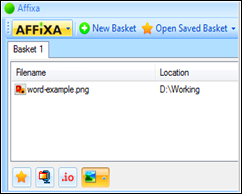
Affixa allows the user to create multiple attachment baskets, ie a variety of different emails can be managed by the free email attachment manager at the same time. It is an innovative and user-friendly method of attaching files to emails.You can have more than one basket at once and can even save baskets for future re-use.
Features
- Gmail and Yahoo! Mail integration.
- Handles “mailto” links.
- Single account usage.
- Attachment baskets.
- Support for desktop email clients.Automatic detection of problematic attachments.
- Custom names for account identification.
- Drop.io integration

It has also integrated drop.io support.If youre sending large files , you can upload them to drop.io and Affixa will add a link to the drop point to your email instead of sending the items as file attachments.When attaching a file you can easily resize your photos and shrink the size of what you are sending by zipping it up.

Affixa supports email services such as; Gmail, Google Apps Mail, Yahoo Mail, and Zimbra.It is a free download for personal use.You can upgrade to the full version of Affixa for an annual subscription.Then you can then use the toolfor more than one account, and to zip files before you send them.
Download Affixa |Os:Windows XP, Vista, 7, 2003 or 2008|.NET Framework 2.0 |2.5MB |Freeware|Homepage
Available link for download

Wednesday, January 11, 2017
Immunet Protect Free 2 0 Free Cloud Based Antivirus
Immunet Protect Free 2 0 Free Cloud Based Antivirus
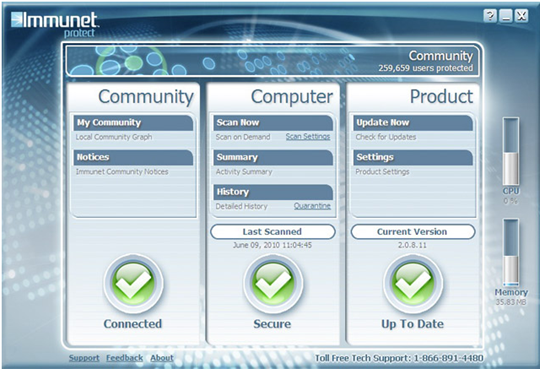
Immunet, anti-virus software developers recently released the latest version of its free, real-time antivirus software for Windows users called Immunet Protect Free 2.0.It has cloud computing with the benefits of Collective Immunity to protect entire online communities against real-time virus threats.Each time a virus is blocked on one computer in the Immunet Community, all other PCs are instantly protected from the same virus.This collaborative approach leverages ‘strength-in-numbers’ to grow stronger with each new community member.
With thus you can stay protected against over 13 million viruses and thousands of new threats daily without ever downloading another virus detection file again.Simply stay connected to the Immunet Cloud to keep all virus detections up to date.When the installation completes, Immunet will ask to give your system a “flash scan”.
Features.
- Cloud computing
- Community based protection
- Collective wisdom
- Coincidental with installed antivirus
- Lightweight
- Does not require updates and is low on resource usage
- Centralized updates removes the risk of bloatware.
Download :Immunet| OS: Windows XP (SP2 or later), Vista and Windows 7 ( 32Bit only)| Homepage
Available link for download